
Every product from the show, in one catalog.
Snap products, scan business cards and see landed cost on the spot. Your whole team shares one live catalog — on iPhone, iPad, Mac and the web.

Swipe the phones
See how it worksNew in version 1.1
The biggest update yet
Track exactly what your team needs, price every quantity, and take the whole catalog to Excel or to your desk.
Custom fields
Add the fields your team tracks, like finish, certification or sample size. They show on every product and work in search and filters.
Price breaks
Log a price ladder: 1,000 pcs at one price, 5,000 at another. The smallest quantity's price is the FOB.
FOB, CIF, EXW or DDP
Pick the price term per product. Landed cost follows the term you chose.
Excel export with photos
Products and vendors in a spreadsheet, photos in the cells, every field included, landed cost as live formulas. Paid plans.
Built for Mac and iPad
List and details side by side, a bigger tab bar and keyboard shortcuts.
AI Connection
Connect Claude or ChatGPT to your catalog and ask about your products and vendors in plain words.
US shipping records
See a vendor's US import history and which US companies already buy from them.
Help & FAQ
Searchable help inside the app, plus What's New for every update.
Also new: a redesigned Team Map, team statuses on every product, AI photo descriptions, a faster camera, and prices and numbers in your region's format.
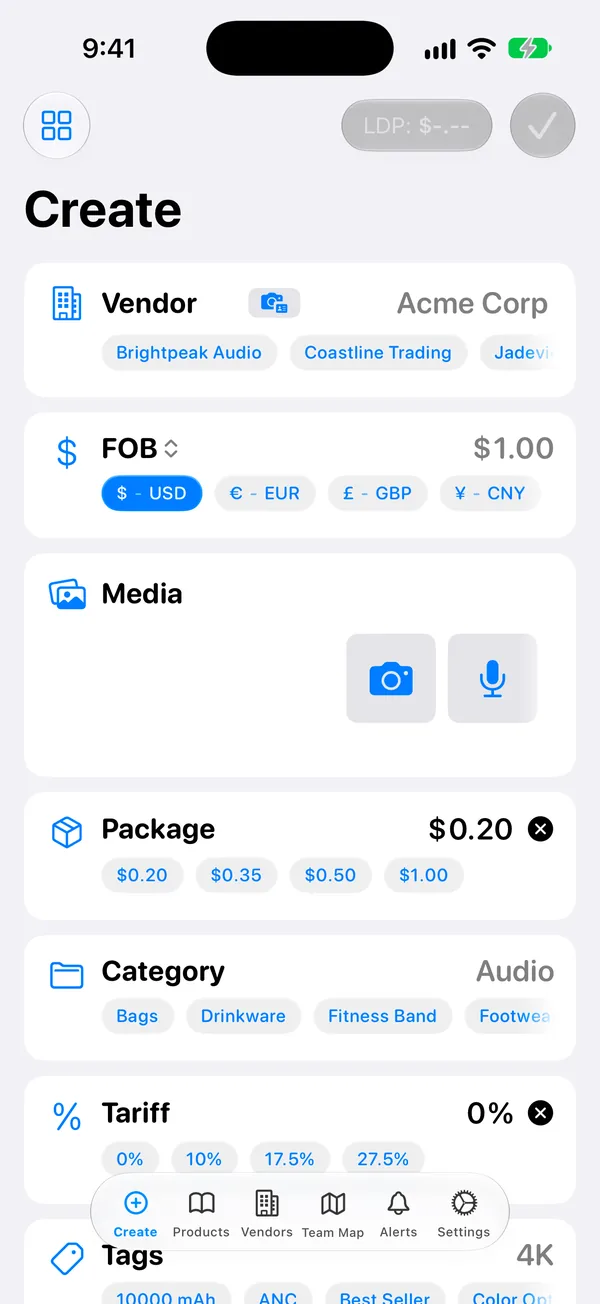
Log a product in seconds, right at the booth
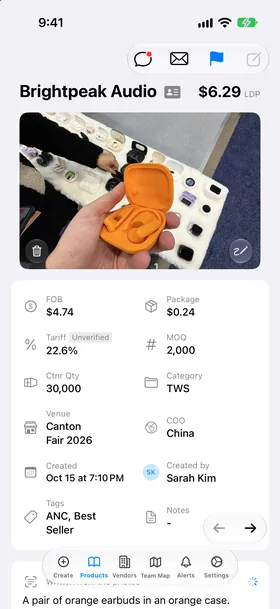
One screen for everything you need. Tap the quick-pick chips instead of typing on a crowded show floor.
- Fast multi-shot camera with instant thumbnails and a zoom dial, plus video and voice notes. Or choose from your library.
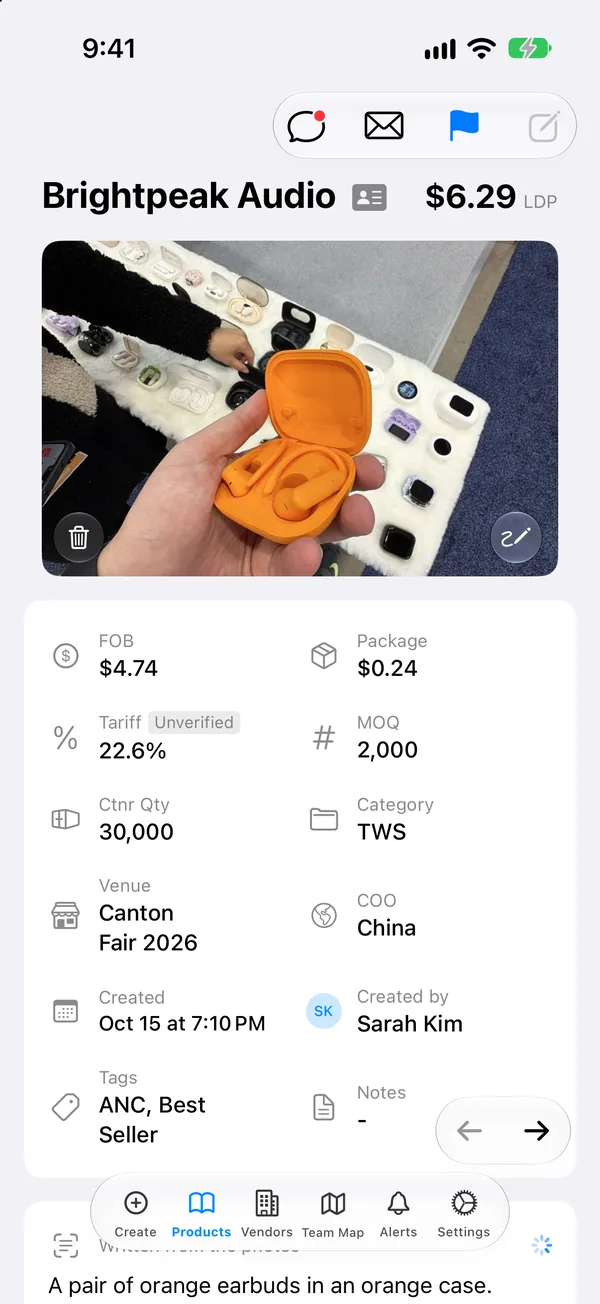
- FOB, MOQ, packaging, tariff, container qty, venue and country of origin — each with one-tap presets.
- Notes for materials, colors and options, and custom fields for anything your team tracks.
- Draw on a photo to mark the detail that matters.
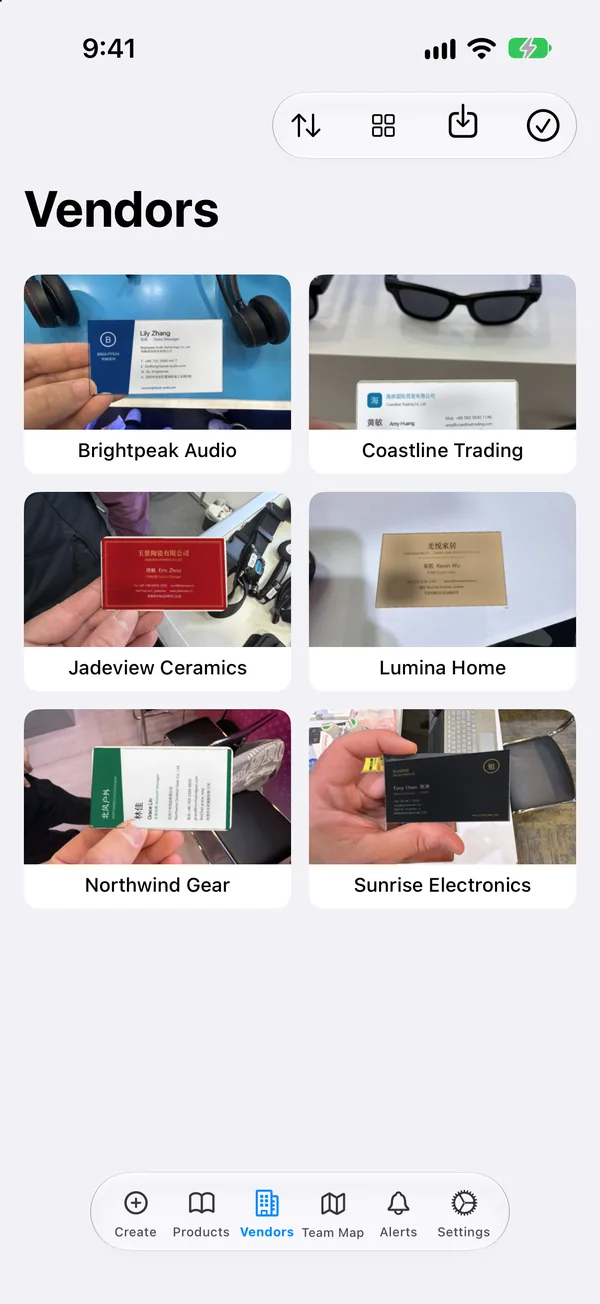
Snap a card. Get a vendor contact.
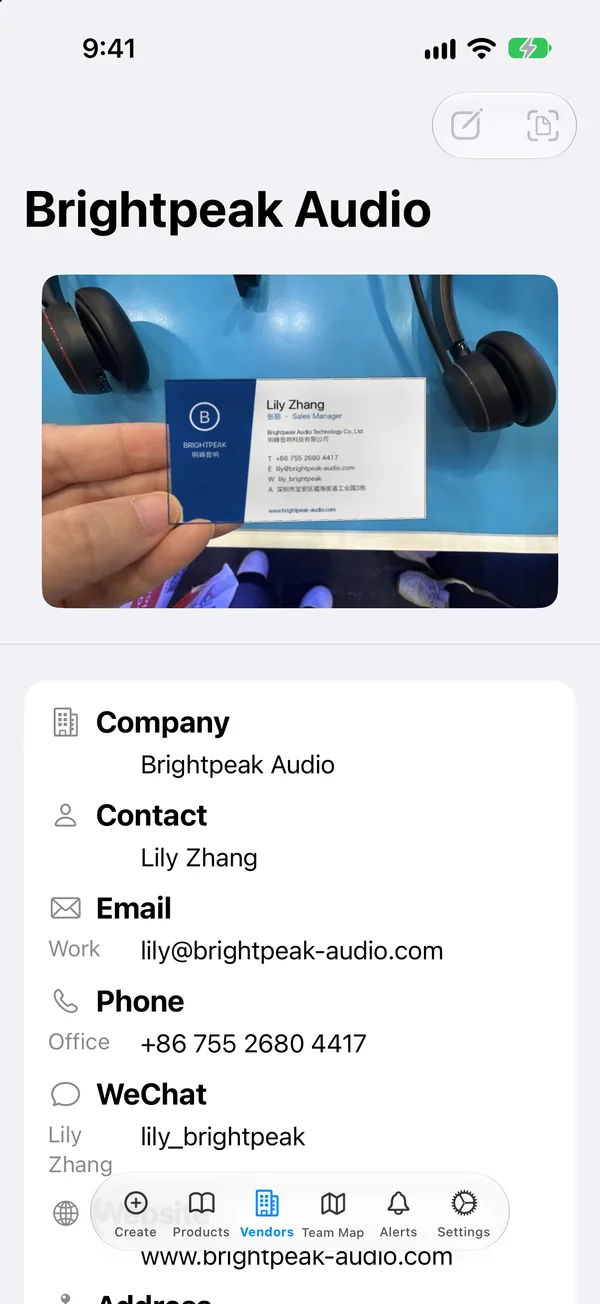
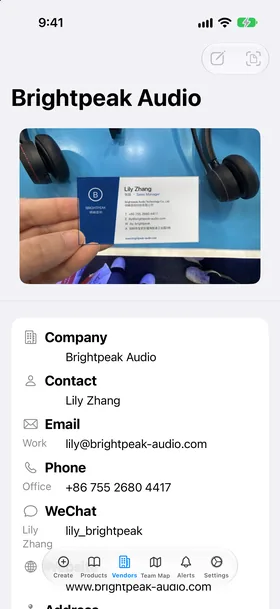
Take a photo of a business card in English or Chinese. Show Sourcing fills in the company, contact, title, email, phone, WeChat, website and address.
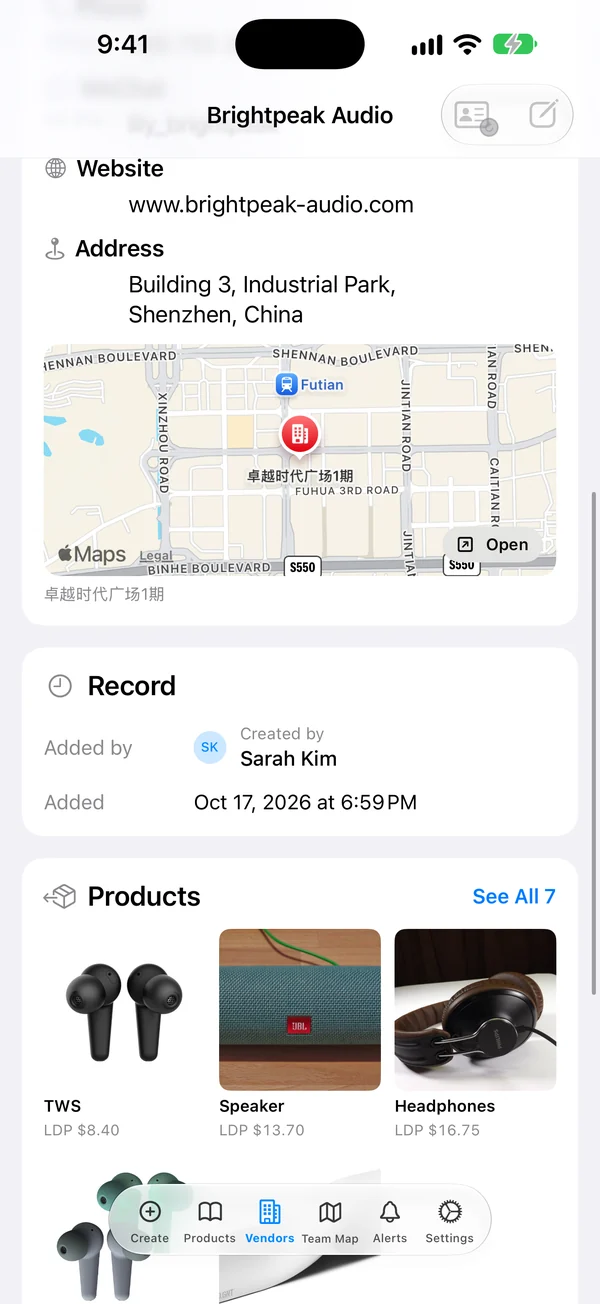
- Every vendor keeps its card, its contacts and all of its products in one place.
- Merge Vendors cleans up duplicates when two people scan the same booth.
- Look up a vendor's US shipping records to see who they already sell to.
Stop losing business cards and booth notes
Start your 30-day free trial. Cancel anytime.
Know the real price before you leave the booth
Show Sourcing turns FOB into LDP — the landed, duty-paid cost per unit — so you can judge a price on the spot.
- Country tariff rules linked to each category, so duty fills in by itself.
- Package cost and container cost are part of the math.
- Price terms FOB, CIF, EXW or DDP, and price breaks for each quantity.
- Prices in USD, EUR, GBP or CNY, with numbers in your region's format.
One live catalog for the whole team
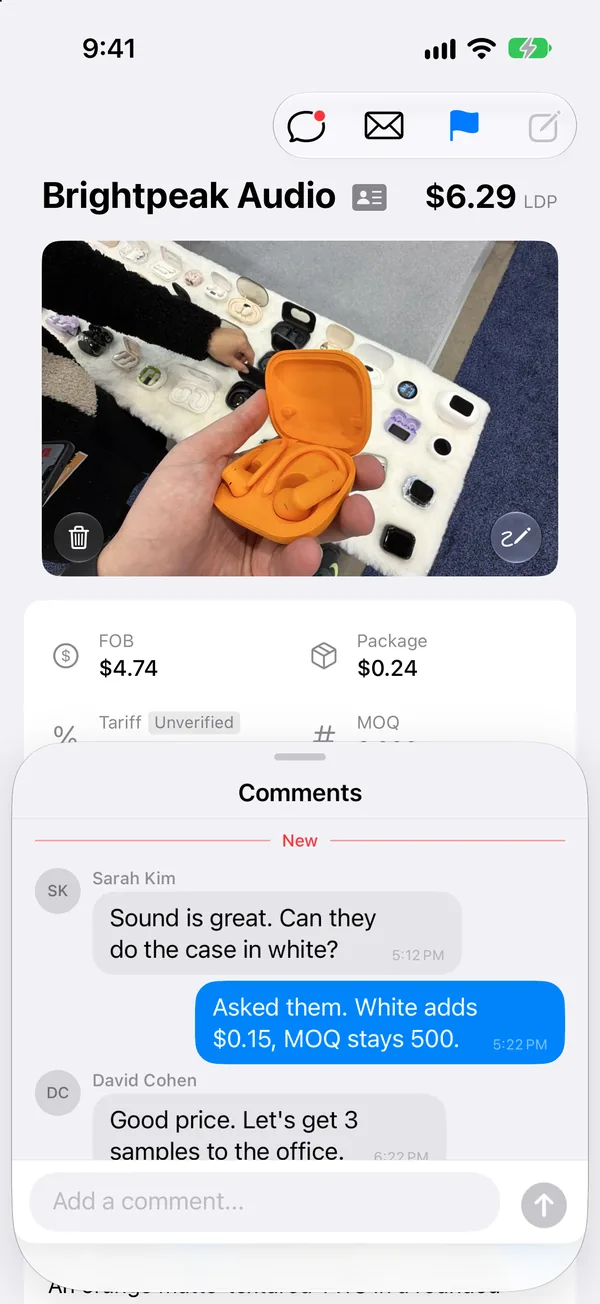
When a teammate adds a product, everyone sees it. Decide together on the product itself, not in a chat thread.
- Comments and @mentions on every product.
- Team statuses — like Sample Requested, Quoted or Approved — stay in sync for everyone.
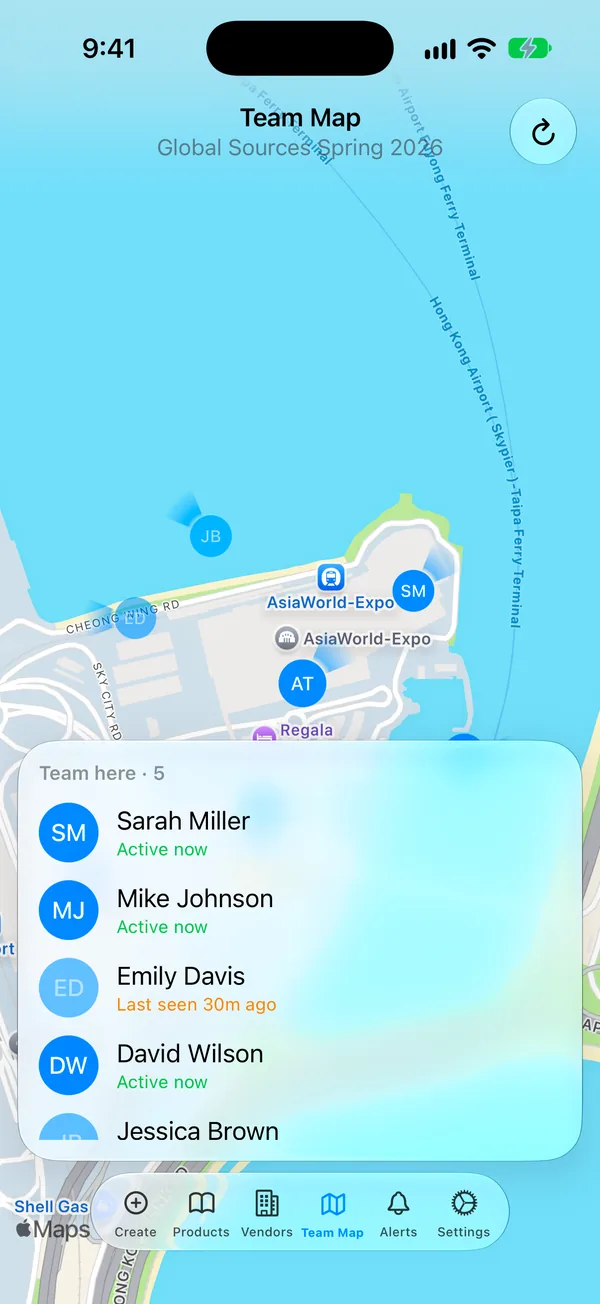
- The redesigned Team Map shows who is at the same venue, so you can meet up without a call.
Take it to your next show
Free for 30 days. Set up in a minute on your iPhone.
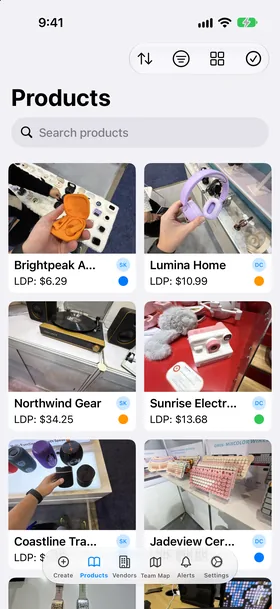
Find any product from any show in seconds
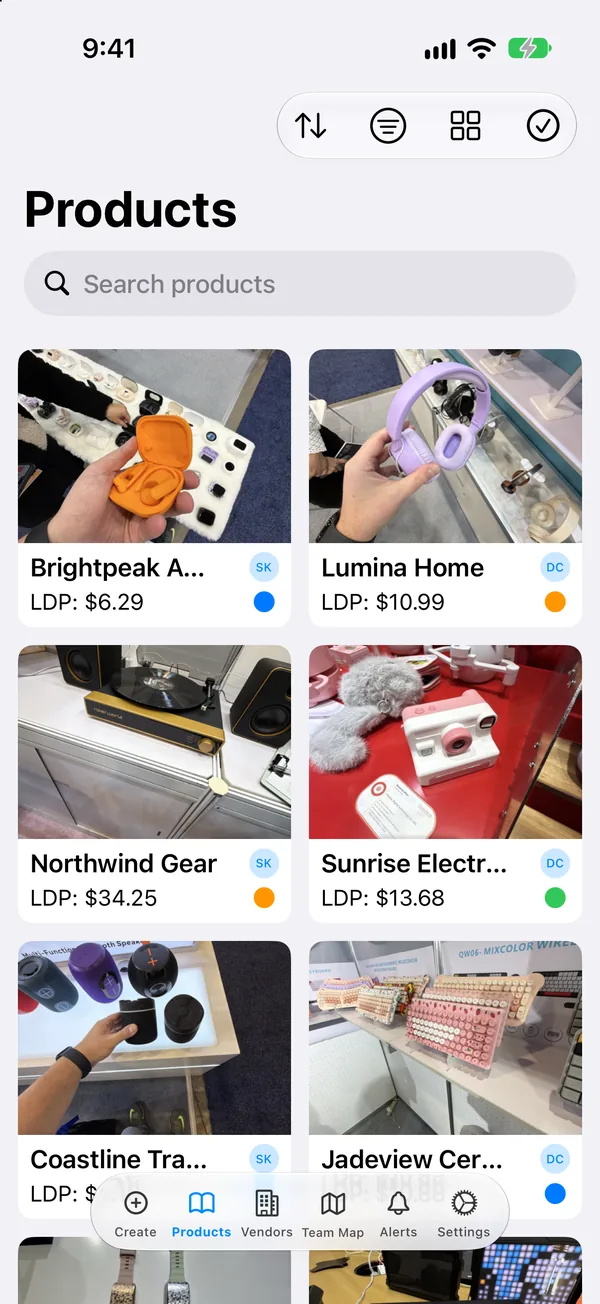
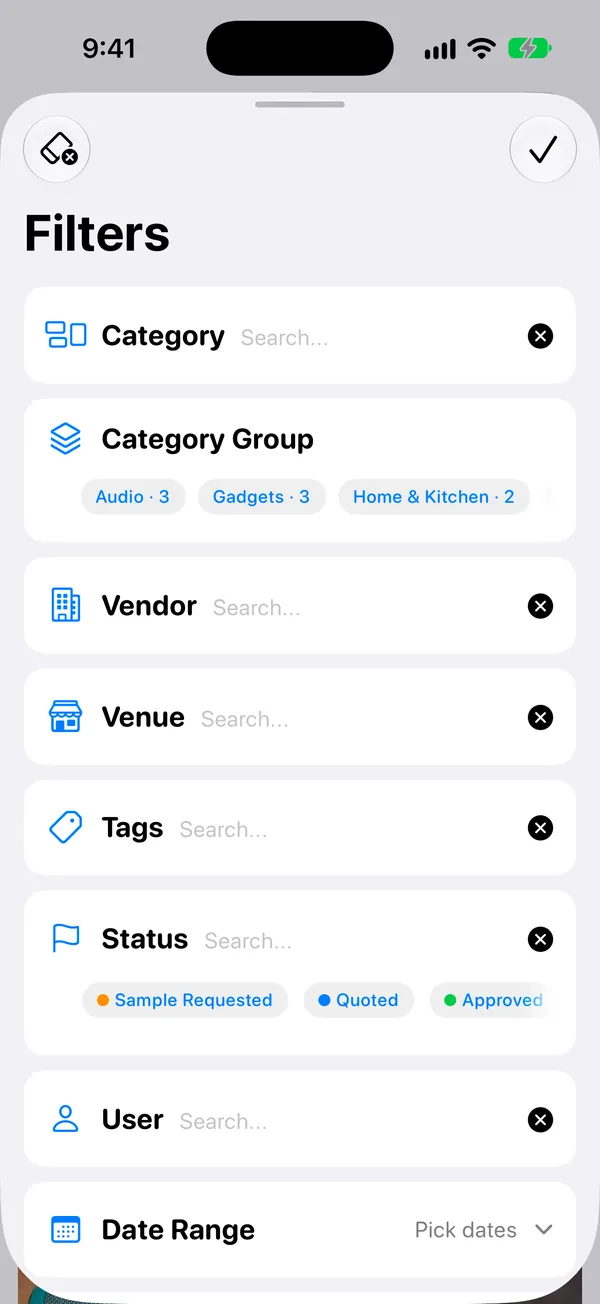
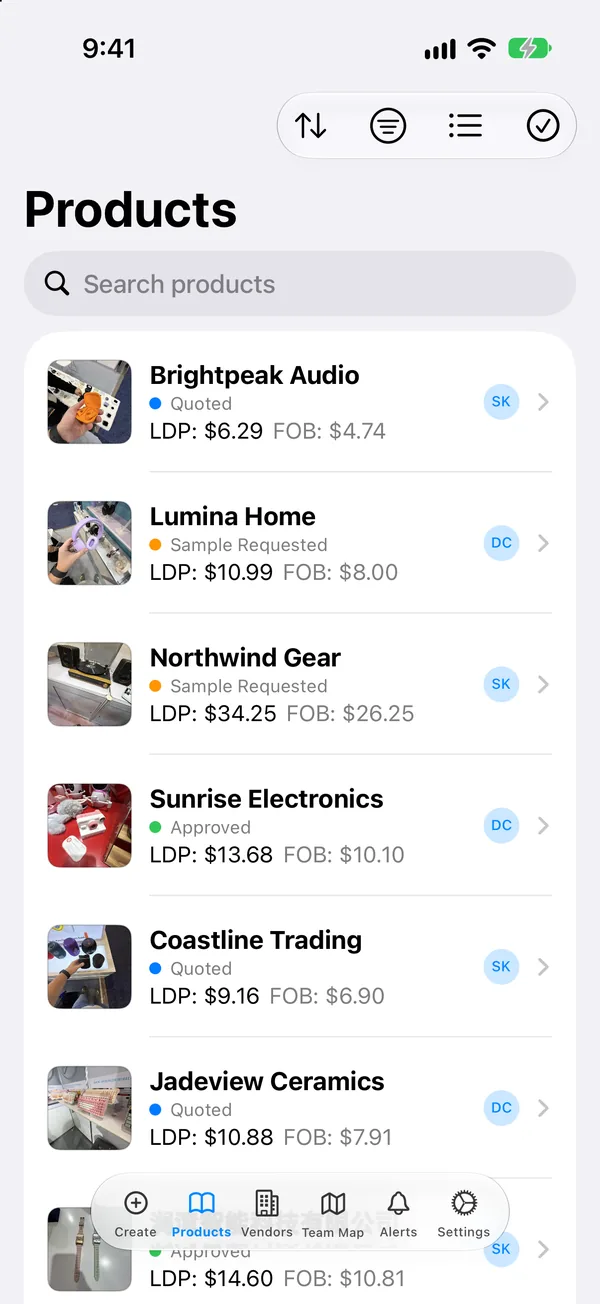
Hundreds of products stay easy to browse. Switch between a photo grid and a detailed list.
- Search by vendor, category, tags, notes and the text in your photos.
- Filter by category or category group, vendor, venue, tags, status, teammate, date range, price and your custom fields.
- Sort by date, price and more. LDP and status show on every tile.
Your photos describe themselves
Show Sourcing writes a short description of each product photo, on your device. Search for "black earbuds" and find them, even if nobody typed a word.
- Runs on the device — your photos stay private.
- Text printed on packaging and labels is read and searchable too.
- Run Describe Photos once to fill in your older products.
Follow up fast, from any device
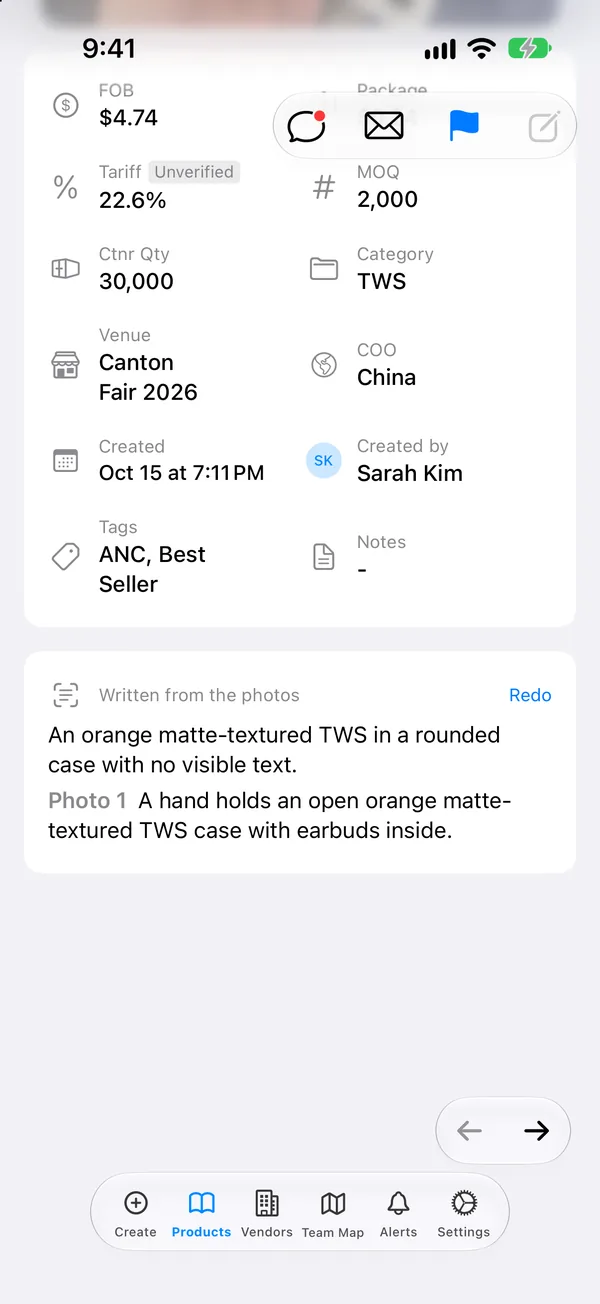
Email a vendor from the product page. The template fills in the price, MOQ and details, and attaches the photos.
- Send with Apple Mail, your default mail app, or directly from the app.
- Export to Excel with photos in the cells and every field, emailed to you as a link (paid plans).
- Back at the office, review the catalog on a big screen. On Mac and iPad, list and details sit side by side, with keyboard shortcuts.
- AI Connection lets Claude or ChatGPT read your catalog and answer questions about it.
Built for the whole trip
Easy at the booth. Easier back at the office.
1 At the show
- Photo, price, done. Snap the product, tap a few chips for FOB, MOQ and packaging, and move to the next booth.
- Cards become contacts. Scan a business card in English or Chinese and the vendor is filled in for you.
- Know the real cost on the spot. Landed cost with duty and freight shows before you leave the booth.
- Your team, in sync. Everyone adds to one catalog, comments on products, and finds each other on the Team Map.
2 After the show
- Every booth, sorted. Filter by show, vendor, category, status or price, and compare landed costs side by side.
- Find it by what it looks like. Search "black earbuds" and find the photo, even if nobody typed a word.
- Follow up in one tap. Email a vendor with the product details and photos already filled in.
- Review on a big screen. Open the same catalog on iPad, Mac or the web and decide with your buyers.
From the show floor
What buyers say
I asked for a couple of changes and had them in the app within hours. You can tell the people behind it actually listen.
What I value most is the attitude: fast answers and a real willingness to keep making the app better.
Frequently Asked Questions
Everything importers, buyers, and sourcing teams ask before they hit the show floor.
-
Is Show Sourcing for iPhone or iPad?
Both, and Mac too. It is built for one-handed iPhone use on the trade show floor, and works on iPad and Mac for reviewing your catalog. Your team can also sign in to the web app at app.showsourcing.app. iOS 18.0 or later.
-
Does it work offline?
Yes. Capture products, scan cards, take notes, and manage vendors offline — everything syncs when you're back on WiFi or cellular. Ideal for factory visits and expo halls with spotty signal.
-
What trade shows is it built for?
Canton Fair, Global Sources, ASD, IHA, Hong Kong Electronics Fair, HKTDC, Ambiente, IFA, CES — any expo where you're scanning vendors and cataloging products at speed. Also for factory visits (Shenzhen, Yiwu, Guangzhou, Vietnam, India).
-
How does the business card scanner work?
Point your camera at a card, tap capture. AI extracts the company name, contact person, email, phone, WeChat ID, and physical address in about half a second. Multi-card imports supported — scan a stack, get all the vendors back at once.
-
Can multiple people on my team share the same catalog?
Yes. Real-time team sync means everyone sees new products and vendor cards as they get scanned. Team Radar shows colleague locations on the venue map so you can meet up without calling.
-
How does landed cost calculation work?
Enter FOB, packaging cost, and container quantity. Show Sourcing applies country-specific tariff rules (auto-linked to the product's category and country of origin) plus your container cost, and gives you the LDP — the true per-unit landed cost you can use to price the item.
-
What does it cost?
$60 per seat per 6 months, or $102 per seat per year (15% annual discount). Volume discounts kick in at 10+ seats. Billed through the App Store. See Pricing for every plan.
-
How is my data stored?
Your catalog syncs to a private cloud backend (Supabase, hosted in Singapore for global reach). Team data stays within your team. See the Privacy Policy for details.
-
Is there an Android version?
Not yet — Android is on the roadmap. The iOS app is the focus.
Try Show Sourcing free for 30 days
Download the app, create your team and catalog your first product in a minute. Your plan starts only after the trial, and you can cancel anytime.
Questions? [email protected]